

Our score
9.1/10
Source
CGReviewHub
Category
General
Editorial review
Our honest review
TradeSyncer vs TradeCopia Review (2026): Which Cloud Trade Copier Is Best for Prop Traders?
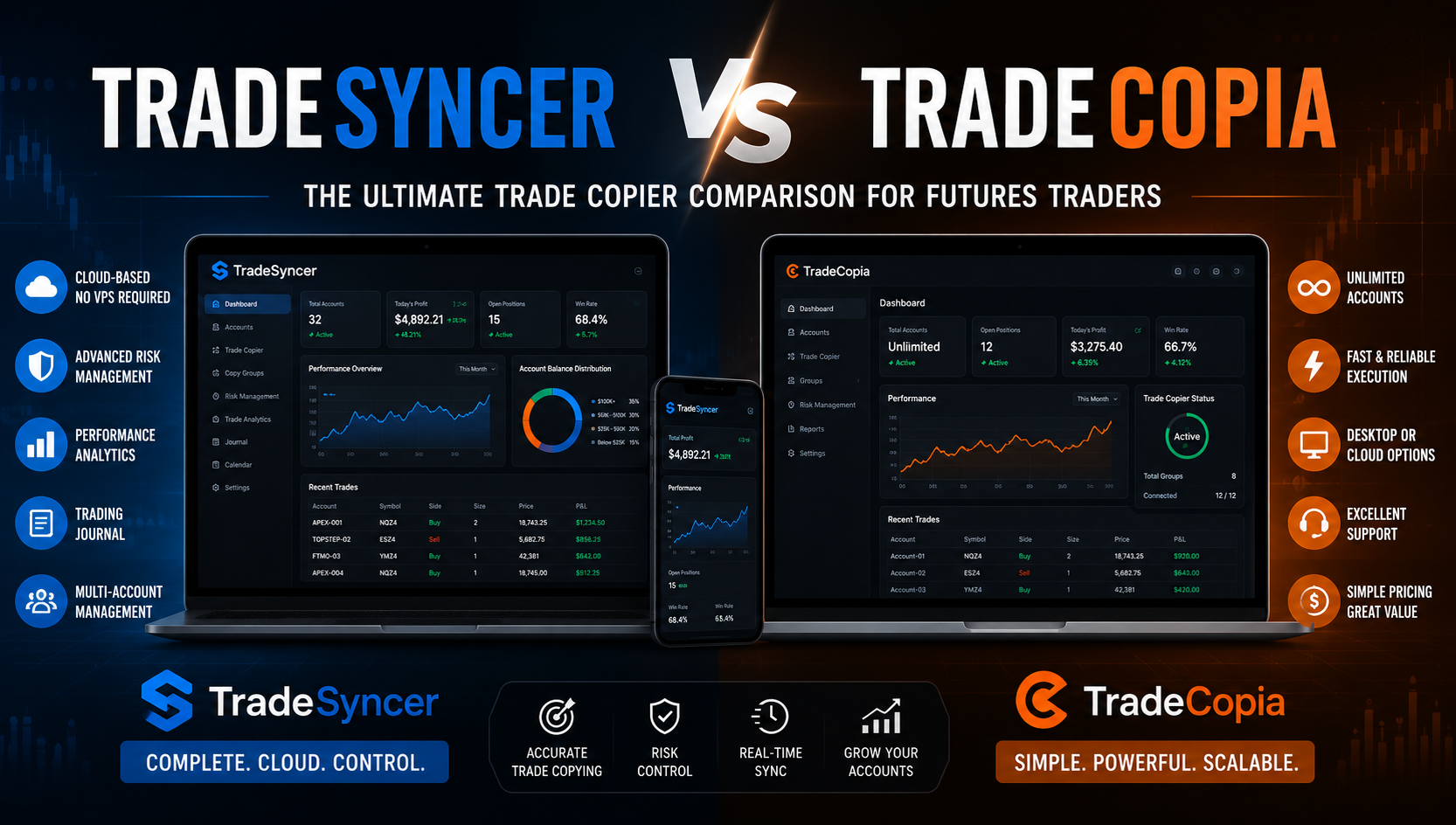
Managing multiple Prop Firm accounts or Futures trading portfolios requires absolute precision, speed, and reliability . While traditional trade copiers relied heavily on local software setups and costly Virtual Private Servers (VPS), modern cloud-based solutions have changed the game .
Two of the most prominent platforms dominating the market today are TradeSyncer and TradeCopia . Both offer seamless order replication across top platforms like Tradovate, Rithmic, and NinjaTrader . However, key differences in architecture, risk protection features, and pricing structures set them apart .
In this head-to-head comparison, we evaluate TradeSyncer vs. TradeCopia across performance, ease of setup, features, and overall value to help you choose the best tool for your trading operation .
🚀 Quick Recommendation
Choose TradeSyncer if: You want a 100% native cloud experience with zero VPS hassle, built-in risk auto-locks, automated trading journals, and a modern web interface .
Choose TradeCopia if: You prefer hybrid deployment options (Desktop vs. Managed Hosted VPS) or specifically trade on TopstepX connections.
[Try TradeSyncer Free Today ➔]
1. Quick Comparison Table
<br>
<!-- TradeSyncer vs TradeCopia comparison table. Inline styles only, so it survives CMS editors. -->
<div style="margin:24px 0;border:1px solid #e6e6e6;border-radius:14px;overflow:hidden;background:#ffffff;font-family:-apple-system,BlinkMacSystemFont,'Segoe UI',Roboto,Helvetica,Arial,sans-serif;box-shadow:0 2px 14px rgba(0,0,0,0.05);">
<div style="overflow-x:auto;-webkit-overflow-scrolling:touch;">
<table style="width:100%;min-width:640px;border-collapse:collapse;font-size:15px;line-height:1.55;color:#333333;">
<thead>
<tr>
<th style="text-align:left;padding:16px 18px;background:#f5f5f5;color:#777777;font-weight:600;width:22%;border-bottom:1px solid #e6e6e6;">Feature / Criteria</th>
<th style="text-align:left;padding:16px 18px;background:#111111;color:#ffffff;font-weight:700;width:39%;">
TradeSyncer
<span style="display:inline-block;margin-left:8px;padding:2px 10px;border-radius:999px;background:#ffffff;color:#111111;font-size:12px;font-weight:700;vertical-align:middle;">Our pick</span>
</th>
<th style="text-align:left;padding:16px 18px;background:#f5f5f5;color:#111111;font-weight:700;width:39%;border-bottom:1px solid #e6e6e6;">TradeCopia</th>
</tr>
</thead>
<tbody>
<tr>
<td style="padding:15px 18px;font-weight:700;color:#111111;border-bottom:1px solid #eeeeee;">Primary architecture</td>
<td style="padding:15px 18px;background:#fafafa;color:#111111;border-bottom:1px solid #eeeeee;">100% native cloud (browser-based)</td>
<td style="padding:15px 18px;border-bottom:1px solid #eeeeee;">Hybrid (Desktop Pro plan / Cloud-hosted Pro+)</td>
</tr>
<tr>
<td style="padding:15px 18px;font-weight:700;color:#111111;border-bottom:1px solid #eeeeee;">VPS requirement</td>
<td style="padding:15px 18px;background:#fafafa;color:#111111;border-bottom:1px solid #eeeeee;"><strong>$0 / no VPS needed</strong></td>
<td style="padding:15px 18px;border-bottom:1px solid #eeeeee;">Required for Pro Desktop (unless upgraded to Pro+ hosted)</td>
</tr>
<tr>
<td style="padding:15px 18px;font-weight:700;color:#111111;border-bottom:1px solid #eeeeee;">Supported platforms</td>
<td style="padding:15px 18px;background:#fafafa;color:#111111;border-bottom:1px solid #eeeeee;">Tradovate, Rithmic, NinjaTrader, TradingView, dxFeed</td>
<td style="padding:15px 18px;border-bottom:1px solid #eeeeee;">Tradovate, Rithmic, NinjaTrader, TradingView, TopstepX</td>
</tr>
<tr>
<td style="padding:15px 18px;font-weight:700;color:#111111;border-bottom:1px solid #eeeeee;">Execution speed</td>
<td style="padding:15px 18px;background:#fafafa;color:#111111;border-bottom:1px solid #eeeeee;">Ultra-low latency (< 100ms)</td>
<td style="padding:15px 18px;border-bottom:1px solid #eeeeee;">Real-time low latency</td>
</tr>
<tr>
<td style="padding:15px 18px;font-weight:700;color:#111111;border-bottom:1px solid #eeeeee;">Prop firm risk management</td>
<td style="padding:15px 18px;background:#fafafa;color:#111111;border-bottom:1px solid #eeeeee;">Auto-lock limits, daily drawdown and profit target guards</td>
<td style="padding:15px 18px;border-bottom:1px solid #eeeeee;">Per-account risk caps, drawdown distance tracking</td>
</tr>
<tr>
<td style="padding:15px 18px;font-weight:700;color:#111111;border-bottom:1px solid #eeeeee;">Trading journal</td>
<td style="padding:15px 18px;background:#fafafa;color:#111111;border-bottom:1px solid #eeeeee;">Built-in automated performance journal</td>
<td style="padding:15px 18px;border-bottom:1px solid #eeeeee;">Built-in trade history and P&L analytics</td>
</tr>
<tr>
<td style="padding:15px 18px;font-weight:700;color:#111111;">Setup overhead</td>
<td style="padding:15px 18px;background:#fafafa;color:#111111;">Extremely easy (pure web setup)</td>
<td style="padding:15px 18px;">Easy to moderate (depends on desktop vs cloud deployment)</td>
</tr>
</tbody>
</table>
</div>
</div>
2. Core Differences Detailed
2.1. Deployment & Infrastructure Architecture
-
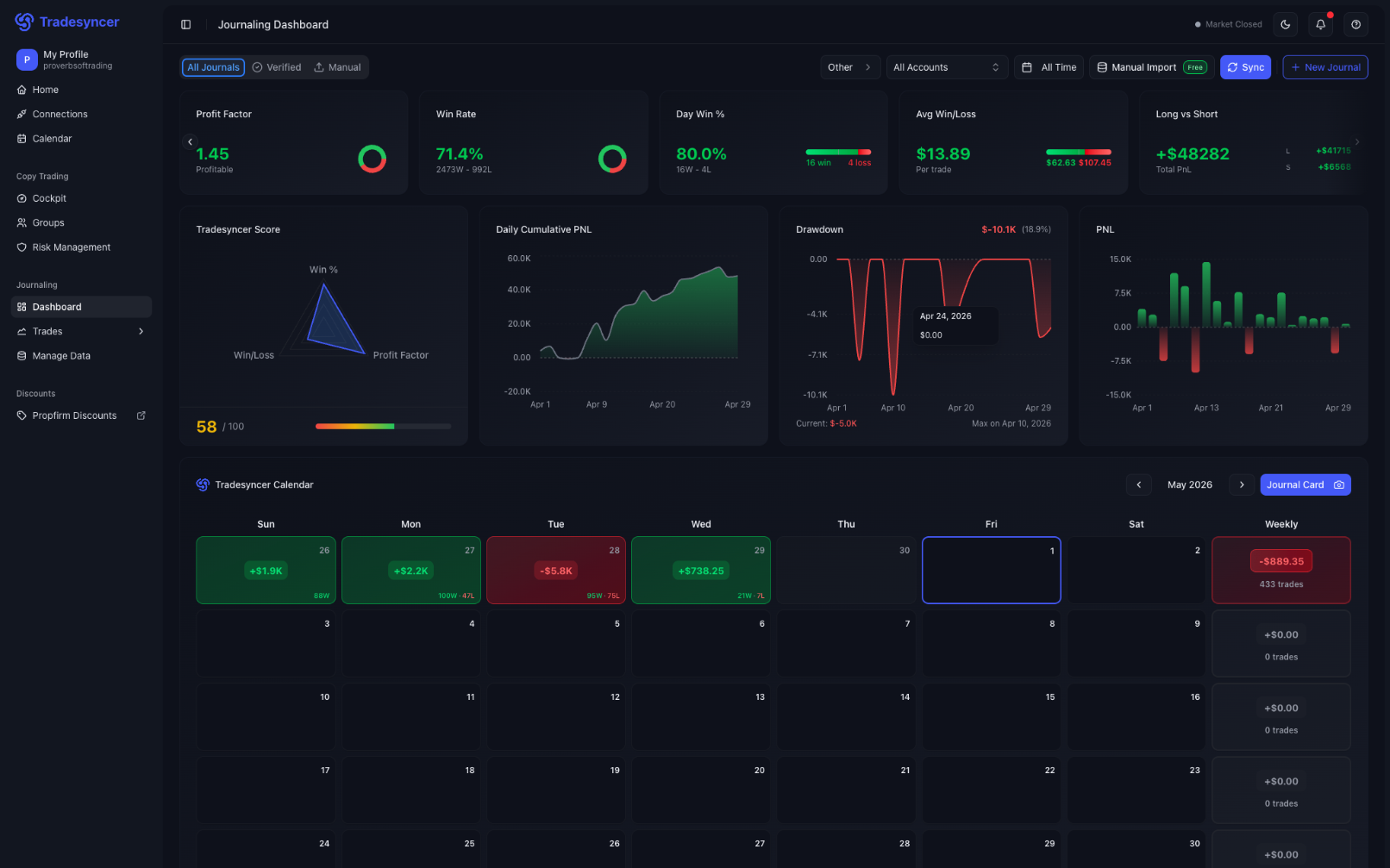
TradeSyncer: Operates purely as a cloud-native platform . All order synchronization happens server-side, meaning your local computer can be powered down without disrupting active position copying . You never have to configure or pay for a separate VPS .
-
TradeCopia: Offers a tier-based deployment model. Its standard Pro Plan runs as a desktop application (which requires your computer to stay on or be hosted on a VPS), while its higher-tier Pro+ / Hosted plans provision cloud-hosted server environments.
2.2. Risk Management & Prop Firm Compliance
Both tools are engineered specifically to help traders navigate strict Prop Firm rules (e.g., daily loss limits and trailing drawdowns) .
-
TradeSyncer emphasizes Auto-Lock Rules—automatically liquidating trades and locking out account execution once pre-set drawdown or daily profit targets are achieved .
-
TradeCopia features per-account risk caps and dedicated Distance to Drawdown monitoring to track how close each follower account is to breaking firm rules.
2.3. Analytics & Performance Tracking
-
TradeSyncer includes a comprehensive Automated Trading Journal that logs trade statistics, win rate metrics, risk-to-reward ratios, and equity growth curves natively .
-
TradeCopia provides built-in P&L analytics and a Prop Firm Tracker to review entries, exits, evaluation fees, and payout metrics.
💡 Need a friction-free cloud trade copier?
Skip the complex server installations and copy trades automatically in the cloud.
👉 [Claim Your TradeSyncer Account Now ➔]
3. How to Choose Between TradeSyncer and TradeCopia
Why Choose TradeSyncer?
-
Zero VPS Costs: Save $20–$50/month in Virtual Private Server hosting fees .
-
True Mobile/Web Freedom: Manage copy groups, modify risk settings, and monitor trades from any device (laptop, tablet, or smartphone) via web browser .
-
Streamlined UX: Designed for maximum speed and simplicity without technical clutter .
Why Choose TradeCopia?
-
TopstepX Support: Native integration for TopstepX platforms alongside Tradovate and Rithmic.
-
Flexible Deployment: Options for traders who prefer desktop-run software or dedicated single-tenant hosted instances.
4. Pros & Cons Summary
TradeSyncer
-
Pros: 100% web/cloud-based , zero local installations , sub-100ms execution latency , robust auto-lock risk controls , integrated trading journal .
-
Cons: Subscription required; relies entirely on third-party API stability .
TradeCopia
-
Pros: Supports TopstepX natively, offers desktop and hosted cloud options, includes distance-to-drawdown tracking.
-
Cons: Entry plan requires local app/VPS execution; cloud-hosted tiers are pricier.
5. Final Verdict
While both TradeSyncer and TradeCopia are top-tier trade copiers for futures and prop traders , TradeSyncer emerges as the more user-friendly and cost-effective choice for traders seeking a true cloud-native solution . By cutting out local software configurations and VPS expenses entirely, TradeSyncer offers an effortless execution framework with built-in risk protection .
Ready to Streamline Your Multi-Account Trading?
Protect your funded accounts and copy every order with minimal latency.
🚀 [Get Started with TradeSyncer Today ➔]
What we like
- 100% Native Cloud platform with zero VPS requirements
- Sub-100ms execution latency for minimal order slippage
- Built-in auto-lock rules for drawdown and profit target protection
- Automated trading journal and performance analytics
- User-friendly web dashboard accessible from any browser
What could improve
- Requires a recurring monthly subscription plan
- Relies on third-party broker API stability